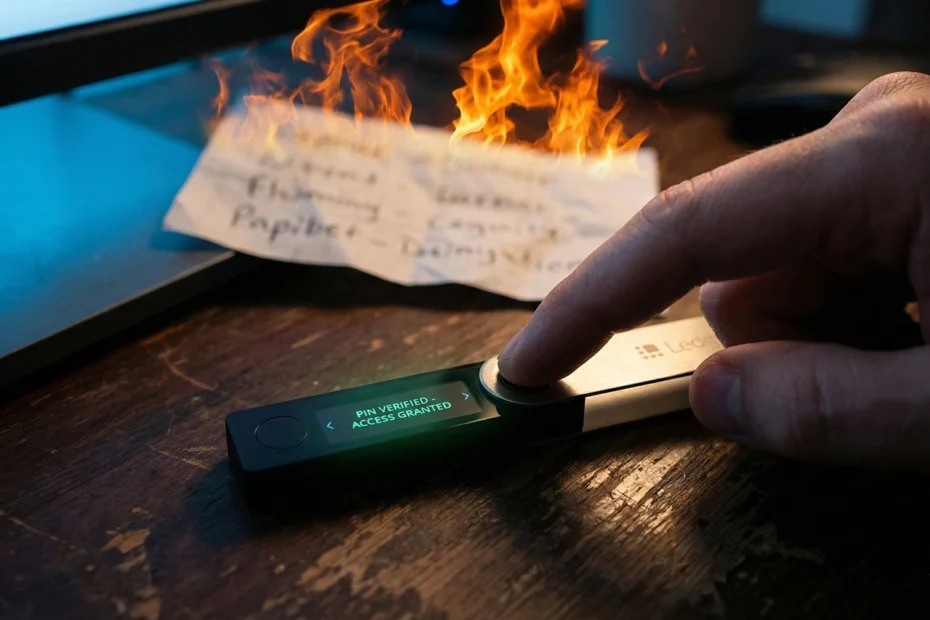
Stop. Take a deep breath. Do not—under any circumstances—reset your hardware wallet right now.
If you’re reading this, you’re likely staring at your Ledger, Trezor, or Coldcard with a knot in your stomach because you can’t find that piece of paper with your 12 or 24 words on it. You know, the one everyone told you was the “most important thing in the world.”
I’ve got good news and bad news for you.
The good news: As long as you still know your PIN and the device is working, your funds are 100% safe. You can still access them, move them, and save them.
The bad news: You are flying without a parachute. If your device breaks, gets lost, or installs a buggy firmware update today, your money is gone forever. There is no customer support hotline at Ledger or Trezor that can help you.
I’m Julian Vance, the Security Specialist here at CoinProfit101. I’ve helped dozens of investors walk back from this exact ledge. In this guide, we aren’t going to lecture you on “why backups are important.” We’re going to fix the problem. Right now.
Stats:
According to 2025 data from Chainalysis, approximately 20% of all Bitcoin (roughly 3.7 million BTC) is lost forever. A massive portion of this isn’t from hacks, but from simple user errors like lost recovery phrases. Don’t become a statistic today.
The Golden Rule: Don’t Look for a “Show Seed” Button
Let’s clear up the biggest misconception first. Many beginners frantically dig through their hardware wallet’s settings hoping to find a “View Recovery Phrase” option.
You won’t find it.
Hardware wallets are designed with a Secure Element chip. This chip is built to do one thing: keep your private keys locked inside, never revealing them to the screen or the computer after the initial setup. This is a security feature, not a bug. If the device could show your seed phrase on command, a thief who guessed your PIN could steal everything in seconds.
Helpful Hint:
If you ever see a website, popup, or “support agent” claiming they can help you recover your seed phrase if you just “connect your wallet,” it is a scam. There is no technology on earth that can extract those words from a locked secure element chip.
Step 1: The “Lifeboat” Protocol (Move Funds Now)
Since we can’t recover the old seed phrase, that specific wallet setup is “burned.” We need to treat it like a house with a broken lock. It’s safe for now, but we can’t live there anymore.
Your only option is to execute a full evacuation. We need to move your assets to a Temporary Vault so we can wipe the device safely.
Option A: The Software Wallet (Recommended)
The fastest way to secure your funds is to move them to a reputable “hot wallet” (software wallet) on your phone or desktop. Apps like Exodus, Trust Wallet, or Rabby (for Ethereum/EVM chains) are perfect for this.
- Download the app from the official source.
- Write down the new recovery phrase for this software wallet immediately.
- Copy the “Receive” address.
Option B: The Exchange Transfer (Easiest)
If you aren’t comfortable setting up a new software wallet in a panic, you can send your funds to a centralized exchange like Coinbase, Binance, or Kraken.
While I usually preach “Not your keys, not your coins,” in an emergency like this, a centralized exchange is safer than a hardware wallet with no backup. Once your hardware wallet is reset and secure, you can withdraw the funds back to cold storage.
Step 2: Transfer Everything (Don’t Forget the Dust)
Unlock your hardware wallet using the PIN you still have. This is the moment of truth.
You need to send every single asset to your Temporary Vault. Do not leave anything behind. Here is a checklist to make sure you don’t miss hidden funds:
- Native Coins: Bitcoin (BTC), Ethereum (ETH), Solana (SOL).
- Staked Assets: If you are staking crypto (like ETH on Lido or SOL natively), you will need to Unstake it first. This might take a few days depending on the blockchain’s “unbonding period.” If that’s the case, keep your device charged and safe until the funds are unlocked.
- Tokens on other networks: Did you bridge USDC to Arbitrum or Base? Check your address on a portfolio tracker like DeBank or Zapper to find hidden tokens.
Helpful Hint:
You will have to pay network fees (gas) for these transfers. It might cost you $10 or $50 depending on congestion. Think of this as a “stupidity tax.” It’s a small price to pay to ensure you don’t lose your entire life savings if your device malfunctions tomorrow.
Step 3: The “Zero Balance” Check
Before we wipe your device, we need to be absolutely paranoid. Open your Temporary Vault (the hot wallet or exchange) and verify the funds have arrived.
Do not verify using only the Ledger Live or Trezor Suite interface. Sometimes these apps verify transactions that haven’t fully confirmed on the blockchain yet. Check a block explorer (like Blockchain.com for BTC or Etherscan.io for ETH) to confirm the transaction has “6+ Confirmations.”
Once your hardware wallet reads $0.00 and your Temporary Vault holds all your money, the crisis is effectively over. You can breathe now. Your money is safe.
Now, we have to fix the hardware.
Great. I appreciate your trust. Since you are new to this, I will guide you step-by-step. We are building this specifically to rank on Google, so we don’t skip steps.
Here is Part 2 of the article. This covers the technical reset process and the security steps to ensure this never happens again.
Copy this code and paste it directly below Part 1 in your WordPress editor.
📝 Article Part 2: The Reset & Rebuild
Step 4: The Factory Reset (Wiping the Slate Clean)
At this point, your hardware wallet should be empty. Double-check it. Triple-check it. Is the balance zero? Good.
Now, we are going to do something that feels scary but is necessary: we are going to erase the device completely.
For Ledger Users (Nano S, Nano X, Flex, Stax)
You have two ways to do this:
- The “Official” Way: Unlock your device, navigate to Settings > Security > Reset Device. Read the warning, confirm you have your seed (or in this case, confirm you don’t care because the wallet is empty), and verify with your PIN.
- The “PIN” Way (Faster): Intentionally enter your PIN code incorrectly 3 times. After the third failed attempt, the Ledger security protocol kicks in and automatically wipes the device to factory settings.
For Trezor Users (Model One, Safe 3, Safe 5)
Connect your Trezor to your computer and open the Trezor Suite.
- Go to Device Settings.
- Scroll down to the “Danger Area.”
- Select Factory Reset (or “Wipe Memory”).
- You will need to confirm this on the physical device.
Once this is done, your expensive hardware wallet is now a “blank slate,” exactly as it was when you first unboxed it.
Step 5: Setting Up a “New Device”
Plug the device back in. It will ask you: “Restore from Recovery Phrase” or “Set up as New Device.”
Choose “Set up as New Device.”
This tells the secure element to use its random number generator to create a brand new, unique master private key. It will then translate that key into a new list of 12 or 24 words.
The Ritual of Writing It Down
This is the most critical 10 minutes of your financial life. Do not rush this.
- Use the card provided: Write the words on the thick card stock that came with the wallet.
- Use a pen, not a pencil: Pencil fades over time. Ink is permanent.
- Number them clearly: Word #4 must be Word #4. If you swap Word #4 and Word #5, the backup is useless.
- Verify on Device: The device will ask you to confirm the words. Do not skip this check. It ensures you wrote them down correctly.
Helpful Hint:
Never, ever take a photo of your recovery phrase. Don’t upload it to Google Drive, don’t save it in Evernote, and don’t text it to your spouse. If it touches the internet, it is vulnerable to hackers. Analog paper (or metal) is the only unhackable storage.
Step 6: The “Fire Drill” (Optional but Recommended)
Before you move a single cent back to this wallet, I want you to try to break it.
Wipe the device again. Yes, really.
Then, choose “Restore from Recovery Phrase.” Enter the words you just wrote down. If the device unlocks and generates the same addresses, you have mathematical proof that your backup works. Now you can sleep at night knowing that if your house burns down, you can buy a new Ledger, type in those words, and your money will be there.
Step 7: Returning Funds to Cold Storage
Now that you have a fresh, secure, and verified hardware wallet:
- Open your dashboard (Ledger Live / Trezor Suite).
- Click Receive to generate a new address for Bitcoin, Ethereum, etc.
- Check the address: Look at the screen on your physical device. Does the address match what is on your computer screen? Malware can swap addresses on your PC monitor, but it can’t hack the device screen. Always trust the device.
- Send a small test transaction ($10) from your Temporary Vault to this new address.
- Once the test arrives, send the rest of your funds home.
How to Store Your Recovery Phrase So You Never Lose It Again
You just dodged a bullet. Let’s make sure you never have to read this guide again. A loose piece of paper in a desk drawer is not a security strategy.
Level 1: The Fireproof Safe
Buy a small fireproof document safe for your home. Put the card in a sealed envelope inside. This protects against water damage, humidity, and nosy guests.
Level 2: Metal Backups (Highly Recommended)
Paper burns. Paper rots. Ink fades. If you are holding significant wealth (more than $5,000), upgrade to a metal backup solution like Cryptosteel or Billfodl. These are stainless steel cassettes where you slide in metal tiles for each letter of your recovery phrase. They are fireproof, waterproof, and virtually indestructible.
Stats:
In house fires, standard paper burns at approximately 451°F (233°C). Most rigorous house fires reach 1,100°F. Stainless steel backups can withstand temperatures up to 2,500°F (1,370°C), ensuring your legacy survives even total disasters.
Final Thoughts: You Got Lucky
If you lost your recovery phrase but still had your PIN, you were given a second chance. The crypto market is unforgiving, and many people realize their mistake only after the device is lost or broken—when it is mathematically impossible to recover the funds.
Take this afternoon to reset your security. Pay the network fees. Buy the metal backup. Future you will be incredibly thankful you did.

Julian Vance is a blockchain security researcher with a focus on cold storage protocols and decentralized network integrity. At CoinProfit101.com, Julian specializes in translating complex technical security concepts into plain English for everyday investors. Driven by the philosophy of “Don’t Trust, Verify,” he provides in-depth research into wallet vulnerabilities, phishing prevention, and the evolving landscape of digital asset custody. Julian’s goal is to ensure that every reader has the knowledge to be their own bank safely in the 2026 crypto environment.